Locked before it leaves your device
Our server syncs your data between your devices but has no way to open it. A shared project opens only for the people you invite.
What stays private
Everything you write is encrypted on your device before it syncs. Only the current version of each item is kept, never a history of your edits.
Encrypted on your device
- Titles and notesEverything you write
- Dates, times and remindersYour schedule and what is due when
- Labels, priority and assigneesHow you sort your tasks and who is on them
- AttachmentsThe files and their names
- Project, section and label namesHow you organize
- Repeats and habit historyHow often things repeat and every completion you log
- Your settingsDown to which projects you hide
What our server can see
- About your itemsRandom IDs, which project each item is in, and when it was created, changed or deleted. For attachments, roughly how big each file is.
- About your accountThe username you pick (no email or phone number), your Pro status and how you paid, and whether you use two-factor authentication, passkeys or a decoy PIN. If you use an authenticator app, the key that lets us verify its codes.
- About shared projectsWho the members are and their roles.
Items marked as deleted stay encrypted for 30 days so your other devices can catch up. Then they are deleted.
One task as we store it.
- id
- 3f8a2c71-9d0e-4b5a-a1c6-52e0d7b4c1f8
- owner
- c04e9b2a-5f17-4d83-9e61-7ab2f0d4c935
- project
- 91be0d4e-77a2-4f19-b0c3-0a6d2e8f4b17
- created
- 2026-10-14 09:12
- changed
- 2026-10-16 18:40
- deleted
- –
- key
- Xp4mQ9vL2cR7tB0wK5nJ8yF3hD6sA1gZ=
- content
- kQ7vR2xZ0bWmP4tN8sLc1yHq3eJfU6gA9dKoV5iT2rXnB7wE0zMuY4pS8hGjC1lF6aDqO3vI9kR5tWbN2xZp2Lw9=
App lock
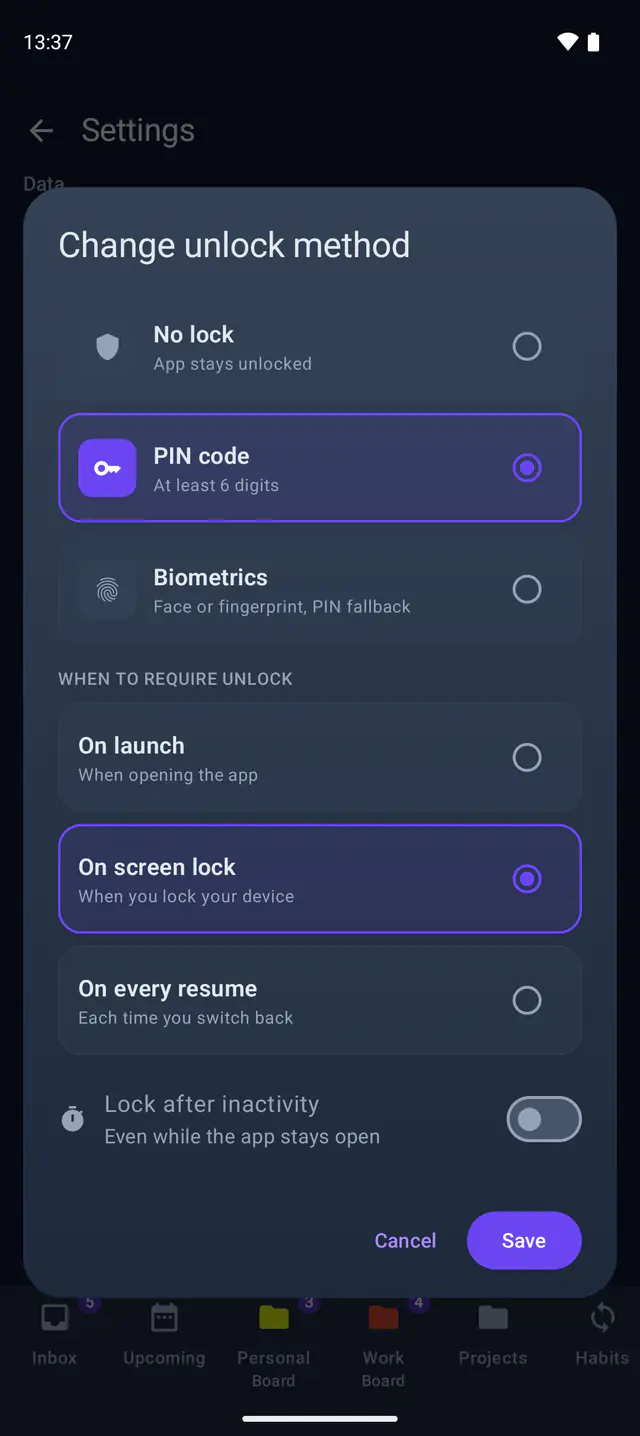
Lock the app with a PIN, your fingerprint or your face. Until you unlock it, your data stays locked too.
- PIN. At least 6 digits.
- Fingerprint or face. Uses your device's own unlock with your PIN behind it.
- Wrong guesses. From the third wrong try you wait longer each time: 30 seconds, then a minute, then two. Restarting the app does not reset it.
Decoy PIN
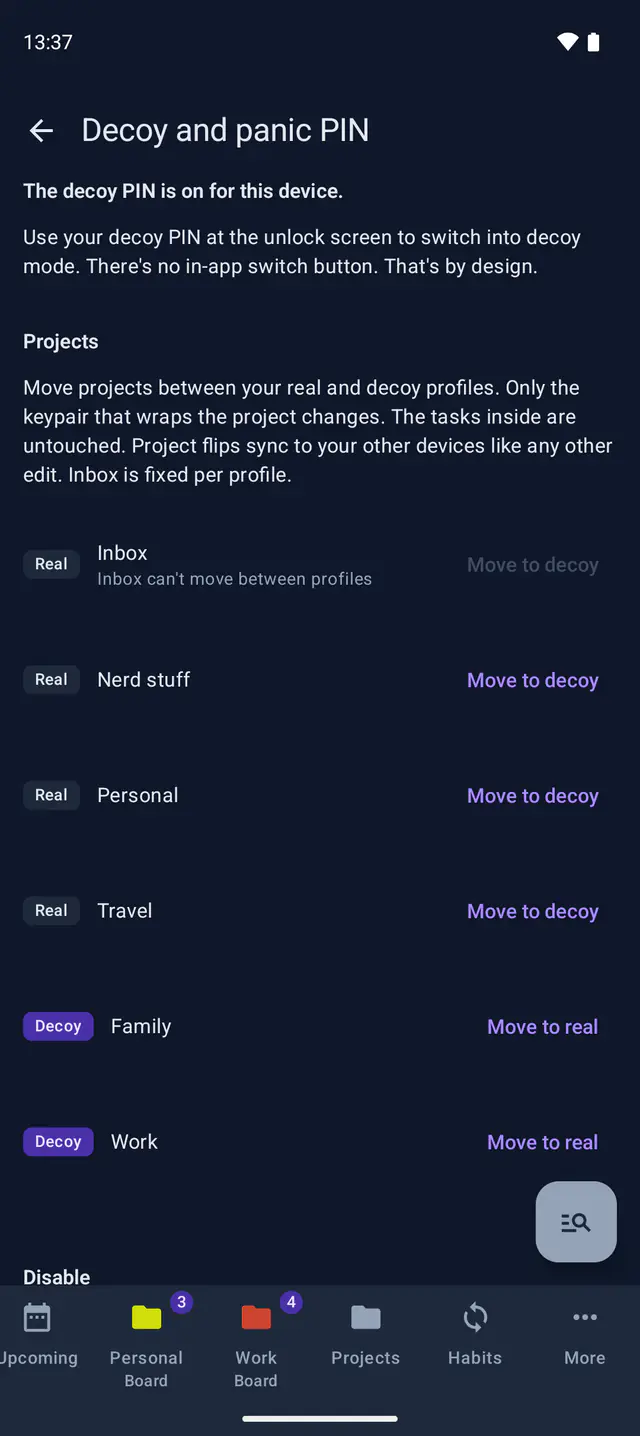
For when someone can make you unlock your phone. Enter the decoy PIN and the app opens a second profile with only the projects you marked as decoy. Nothing in it shows that more exists.
- Decoy profile. You choose which projects it shows. It has its own Inbox and works like the real app.
- Panic PIN. Optional. Opens the decoy profile and first deletes your real data from this device. With an account your encrypted copy comes back when you sign in on another device.
- Free. Set it up once you have a PIN or fingerprint unlock.
Two-factor authentication
Sign in with two of these: your password, a passkey or a code from an authenticator app. Free on every plan.
Your authenticator's key is stored encrypted and used only to verify your codes. It protects signing in only: it cannot open your data.
If you forget your password
Lockday asks for no email or phone number so there is no password reset. A passkey still signs you in without your password. Without one, nobody else can unlock your data for you.
- Save your decryption secretThe app offers a 24-word phrase or a password of your own. Keep it somewhere safe.
- Back up to a fileA backup is one encrypted file with your data. It opens on any device with your secret.
- Add a passkeyOn Android, iPhone and the web, a passkey signs you in without your password.
The cryptography
AES-256-GCMEnvelope encryption: every task, label, file and template is sealed with its own data key.
Argon2idMemory-hard (m=64 MiB, t=3) so guessing your password stays slow and expensive even on GPUs and ASICs. Runs only on your device.
X25519 + ML-KEM-768A post-quantum hybrid (ML-KEM-768, NIST FIPS 203, combined with X25519). Each project key stays sealed as long as either algorithm holds so your data survives a future quantum computer.
BCryptOver a hash that was already computed on your device.
TLS + signed JWTEncrypted in flight with signed access tokens.